
If you enjoy this post, please retweet it (Twitter/X), boost it (Mastodon), repost it (MeWe), or repost it (BlueSky).
A little over two weeks ago, I announced the beta of my FASA Star Trek RPG VTT and Bridge apps. A day later, I announced a minor enhancement. Today, I have a fully functioning version 1 of the app. I will be using this post, not social media, to provide updates, so if you’re interested in the app, bookmark this page.
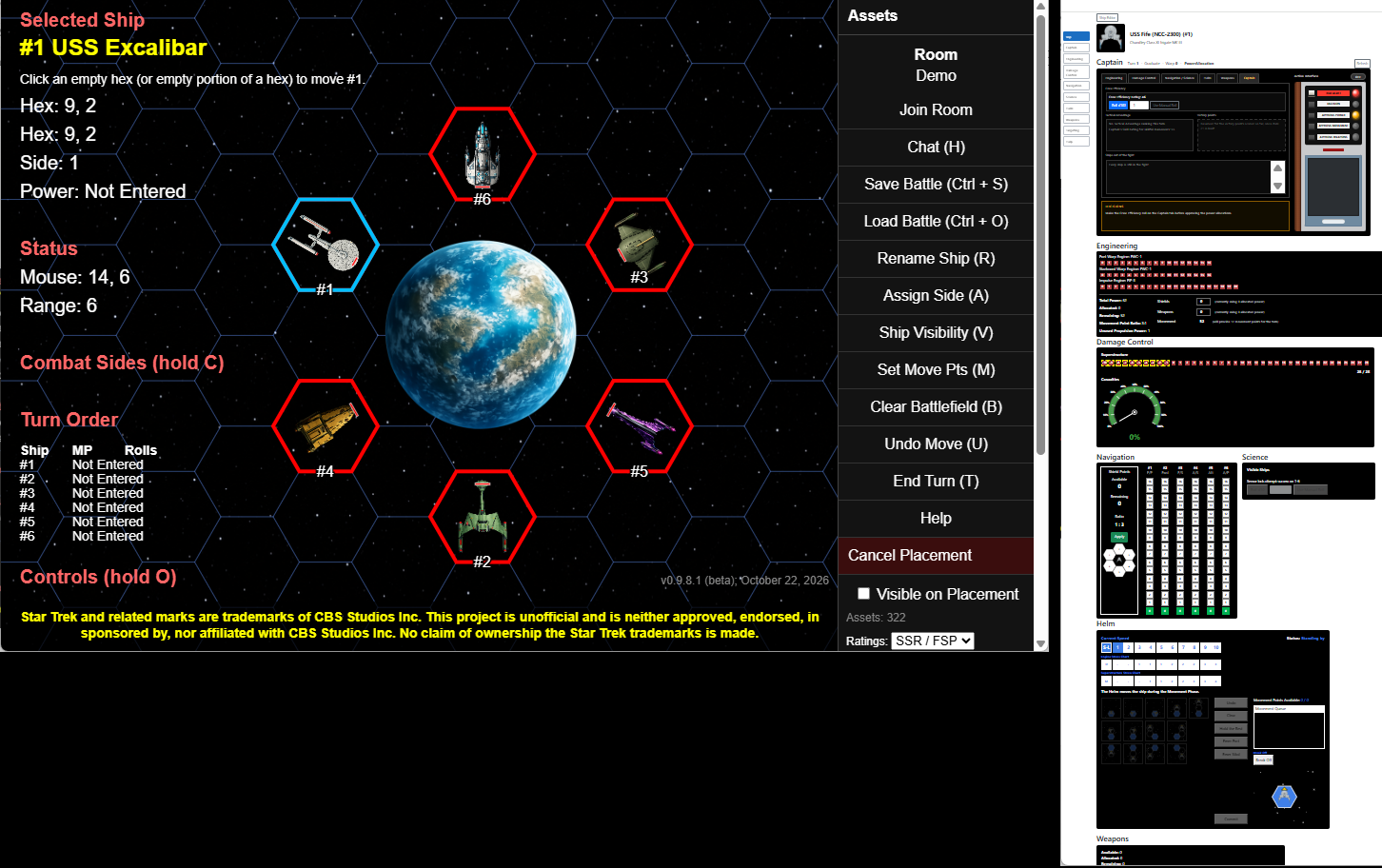
By fully functioning, I don’t mean “There’s no more work to do.” Obviously, that’s not the case, but you can now play a game in any of the four rulesets and will be hard pressed to find a rule I haven’t implemented. At this point, optional house rules, visual aids, and an overall better user interface make up the bulk of what’s left. To be specific, below is the list of enhancements I intend to implement and will delete from the list as I do. They’re divided into tiers based in part on how important I suspect they are to you and me for actual game play and in other part based on how extensive the changes will be to the foundation of the application. If I receive enough requests for reprioritization of a task, I’ll reprioritize it if there’s no technical reason not to do so.
| Tier | Task Number | Task | Description |
| 1 | 38 | Damage Control lamp width | Superstructure lamps in the Damage Control console are too wide. COMPLETED PENDING REDEPLOYMENT. |
| 26 | Sensor Q11: power grids down (Graduate) | Add a sensor question for the status of power grids. | |
| 29 | Admin switch for self-destruct | By default only Romulan ships can self-destruct (rules). The admin can allow or forbid self-destruct for any government’s ships. | |
| 73 | Outpost orbital movement | Optional rule: An outpost may move one hex per turn in the second movement phase. See Starship Combat 2e, page 39. | |
| 2 | 80 | VTT: stop browsers using an old app.js after a redeploy | Upon redeploy, browsers kept running the old app.js until a hard refresh (Ctrl+F5); a normal reload was not enough. Players will not know to do that. |
| 91 | VTT: select a ship from the Tactical Advantage list | Clicking a ship’s entry on the Tactical Advantage list on the VTT’s left-side menu will select that ship. | |
| 100 | Console pages: refuse other stations’ button presses | A console page shows only its player’s stations, but the server still accepts any of the ship’s button presses from it. Map each of the ~140 ship-page handlers to a station and refuse the rest. | |
| 24 | Enforce Tactical Advantage for Movement | GM switch (default on); off = all movement committed, then resolved simultaneously. B/A/G only. | |
| 107 | Complete the intercom (C&C) | The Ship’s Intercom currently works only for the Captain, so it’s currently useless. In C&C, every console will get an intercom to send and read ship-wide messages. | |
| 37 | Save and load waves | Save a wave of ships to a JSON file and add them to an existing combat without removing the ships already there. | |
| 22 | Loaded vs unloaded freighters | Per-ship loaded state set in the VTT at creation (Bridge setup if Bridge-only), changeable mid-game by dumping cargo; explosion bonus, speed limits, and CE/SSR differ; GM override. | |
| 25 | Errant page jumps in C&C | The jump fixes made for Basic, Advanced, and Graduate do not all carry over to C&C. | |
| 3 | 43 | Adjust? button for weapon power | In the Engineering console, next to the weapons power label, add an Adjust? button that sets weapons power to what the Weapons console requests. |
| 40 | Skillful maneuver: LUC save option (C&C) | Instead of the Captain’s or Helmsman’s skill roll, the officer’s LUC ability is used to perform a skillful maneuver to cause a plasma torpedo to graze the ship on a hit. See the Romulans, page 35. | |
| 50 | Ship Editor: cancel a fired weapon (B/A/G) | If the administrator reorients a ship on the VTT after the movement phase, the administrator can use the Ship Editor to cancel a weapon’s firing (the weapon’s pending attack is withdrawn, and it can fire again). | |
| 53 | Manual roll for the Engineering Damage Table | The Engineering Damage Table d10 is rolled automatically. Like every roll it should offer a manual entry, unless an administrator forbids manual rolls with a switch (see item 48). Will check whether other automatic rolls fail to provide the same option. | |
| 20 | Room locking / passwords | The VTT already has room passwords; Bridge’s Game Setup (i.e., using Bridge without the VTT) bypasses them. Bridge will require a password to enter an existing room, and set one when a Bridge-only game creates a room, so both systems will share the same scheme. | |
| 58 | Audit of all “waiting on” messaging | Audit every situation in which the game waits on a player and make sure a message says specifically what is holding it up. | |
| 21 | Victory Points (Adv/Grad) | Points for destroying, capturing, or driving off ships; Victory Page and VTT pop-up; savable per-ship value for campaigns. | |
| 4 | 84 | Target All on one enemy | When only one enemy ship can be targeted, show a “Target All on Ship #X” button that targets every fired weapon at that ship in one press. |
| 51 | Forced-forward into an obstacle: crash switch | A ship with a down Maneuver Power Converter (or a shaken Helmsman) is forced straight ahead unless an obstacle blocks its path. Add an admin switch so the ship instead crashes into the obstacle and is destroyed. | |
| 59 | Sensor question: maximum range of a weapon | What is the maximum range of a specific weapon on the target? The asker picks the weapon from the weapon dropdown that already exists for another sensor question. | |
| 81 | Helm obstacles drawn like the VTT | The Helm console hex diagram shows obstacles as tan-filled hexes. Draw them with the same imagery the VTT uses (asteroids, planets and so on), so the Helm view matches the map. | |
| 82 | Intercom, Version 2 | Add a checkbox to the intercom for each station, so the Captain can send targeted messages. | |
| 23 | Pursuit of a fleeing ship | GM switch (default off) in B/A/G. | |
| 72 | User-built starship models | Let users enter their own ship models by hand (no construction-rule checks, except that a ship’s shields, weapons, computers, and engines must belong to its own government). | |
| 35 | Database item: named ships | When naming a ship, the player can pick from official FASA data on specific starships is entered: name, hull designation within its class, and its history (refit, destroyed, lost, scrapped, retired, sold) while remaining free to enter any name. | |
| 79 | Administrator with no ship in the fight | Need a way for the administrator to act without the administrator’s ship yet being part of the encounter (a VTT control, or a Bridge admin page without a ship). | |
| 88 | Intelligent damage reports | An attacker’s damage report shows only the damage dealt before shields. If, in that turn’s Sensors Phase, the attacker asked a question relevant to the damage done, have the answer combine that information. | |
| 94 | Reserve officers (C&C) | The administrator may give a ship 1 to 6 (administrator’s choice) reserve bridge officers (with lower skill ratings) that start unassigned but can be sent to replace a shaken officer. |
Let me know what you think.
Follow me on Twitter/X @gsllc
Follow me on Mastadon chirp.enworld.org/@gsllc
Follow me on MeWe robertbodine.52
Follow me on Blue Sky @robbodine

